← Help
How to create a coupon
A coupon is a discount for one or more orders. Create a code and share it; the buyer enters it at checkout.
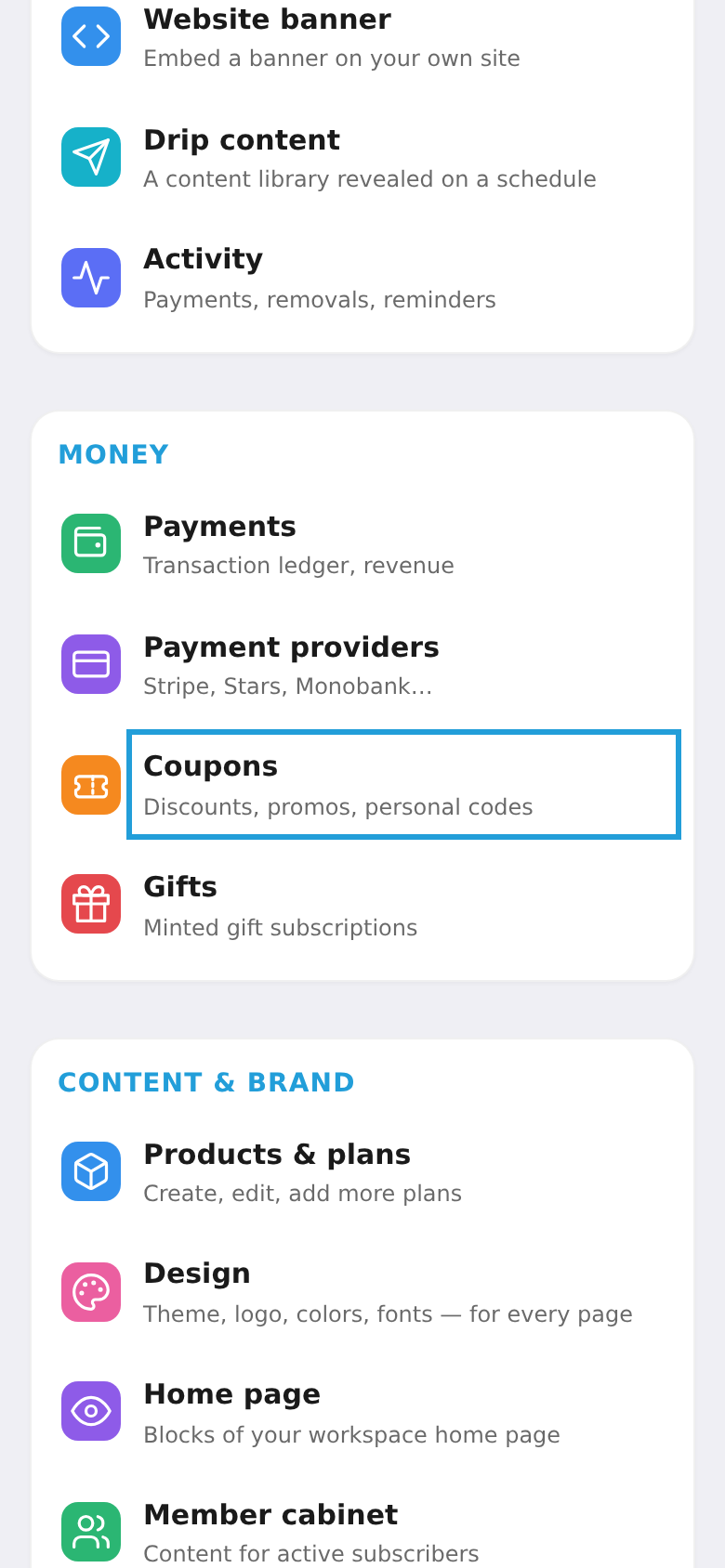
Step 1. Open "Coupons"
In the workspace menu, under "Money", choose "Coupons".
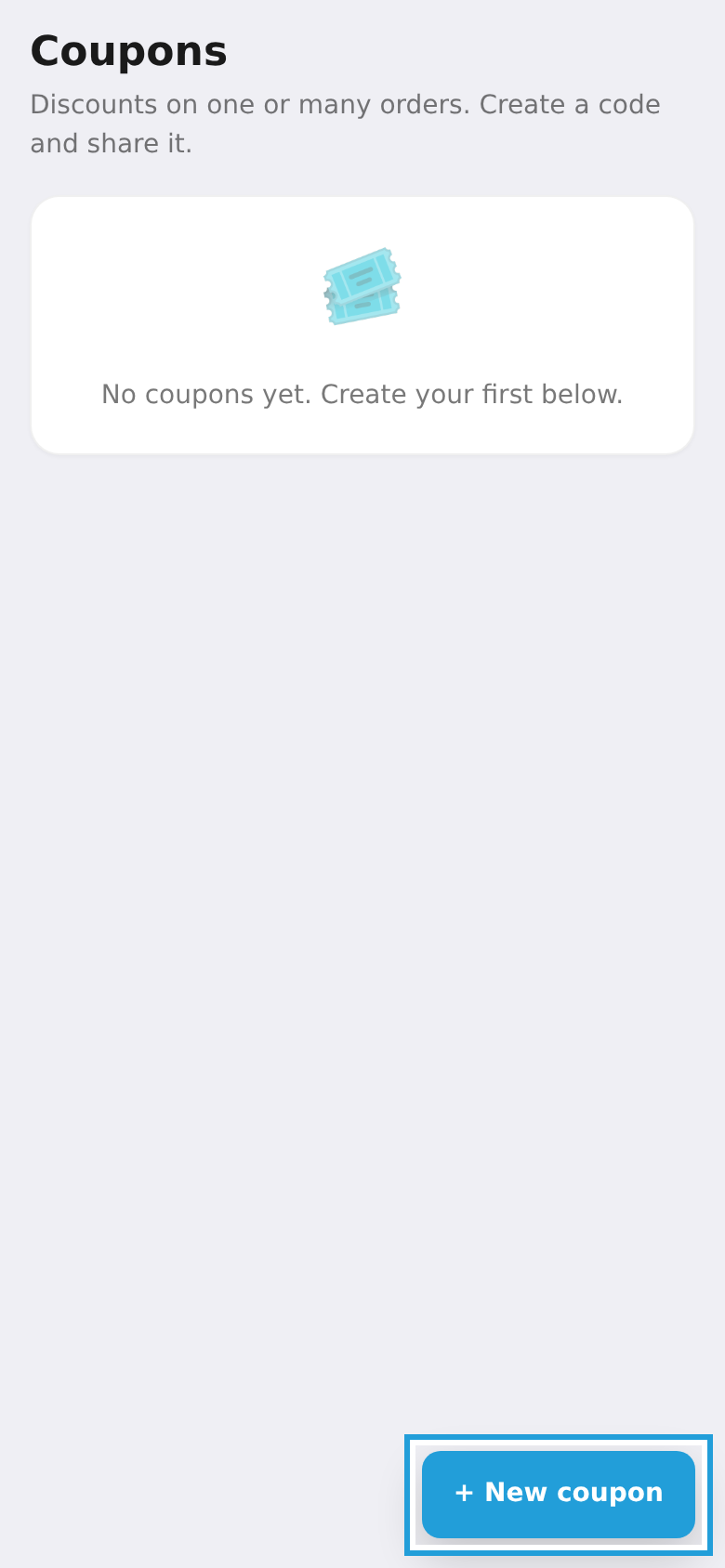
Step 2. Tap "New coupon"
On the coupons screen, tap "New coupon".
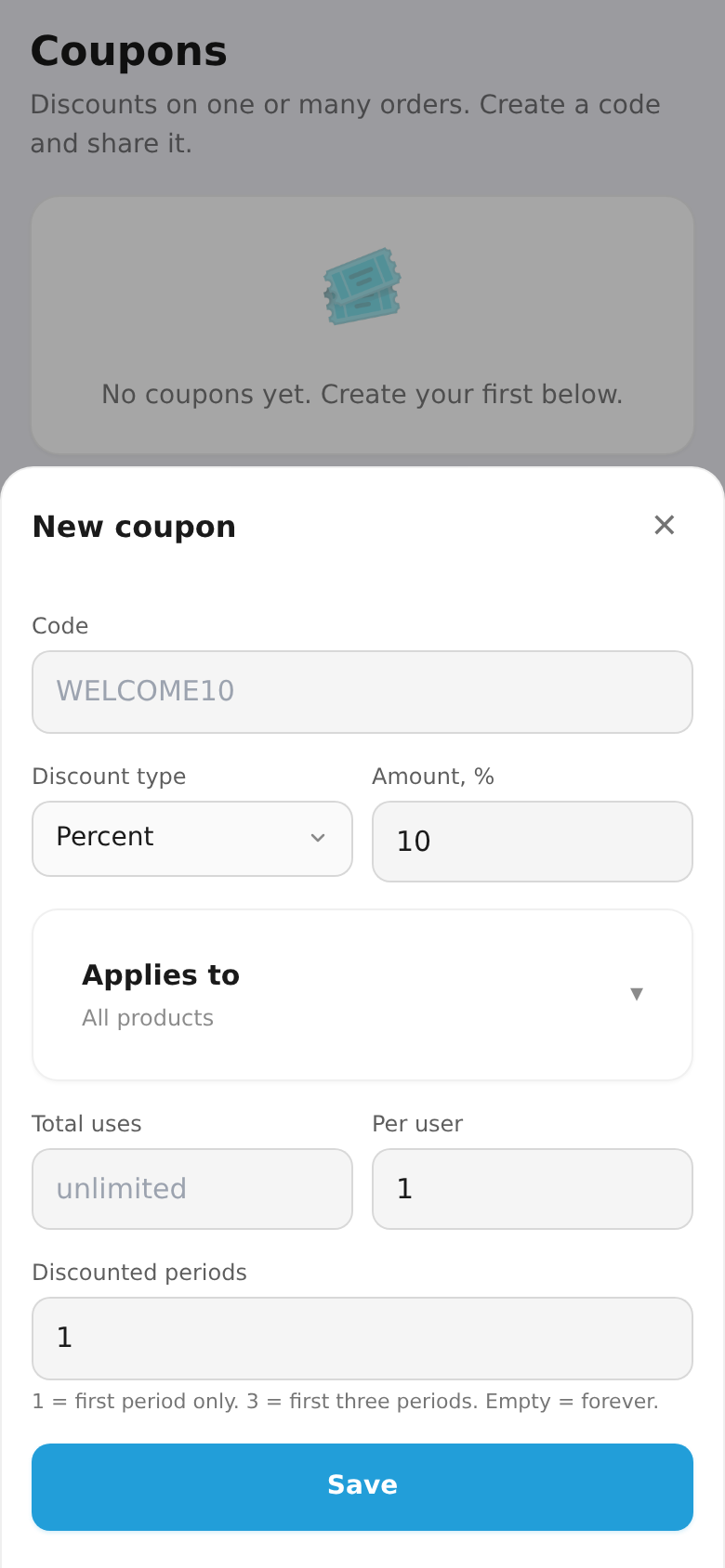
Step 3. Configure the discount
Enter a code (e.g. WELCOME10), choose the discount type — percent or fixed amount — and its value. Optionally set what it applies to (all products or selected) and a redemption limit. Tap "Save".